The habit that has saved me the most time isn’t a clever rig trick or a faster workflow. It’s a rule I keep with myself: I don’t polish a shot until it works when it’s still ugly. I animate in passes, and each pass has one job. If the shot can’t do that job yet, I don’t move on.
This is how I animate a 3D shot in passes, what I’m looking at in each one, and why I think polish is the wrong place to go looking for a fix.
The natural instinct when you’re learning 3D animation is to make one part of a shot look finished right away. You get a hand gesture looking lovely, with soft follow-through on the fingers, and then realize the whole action is in the wrong place, or the character is thinking the wrong thing. All that detail goes in the bin.
Working in passes stops that from happening. Every stage answers a bigger question before I spend time on a smaller one. Does the shot tell the story? Then does it move with the right weight and rhythm? Then, and only then, does it feel alive in the small places? The order matters because each answer depends on the one before it.
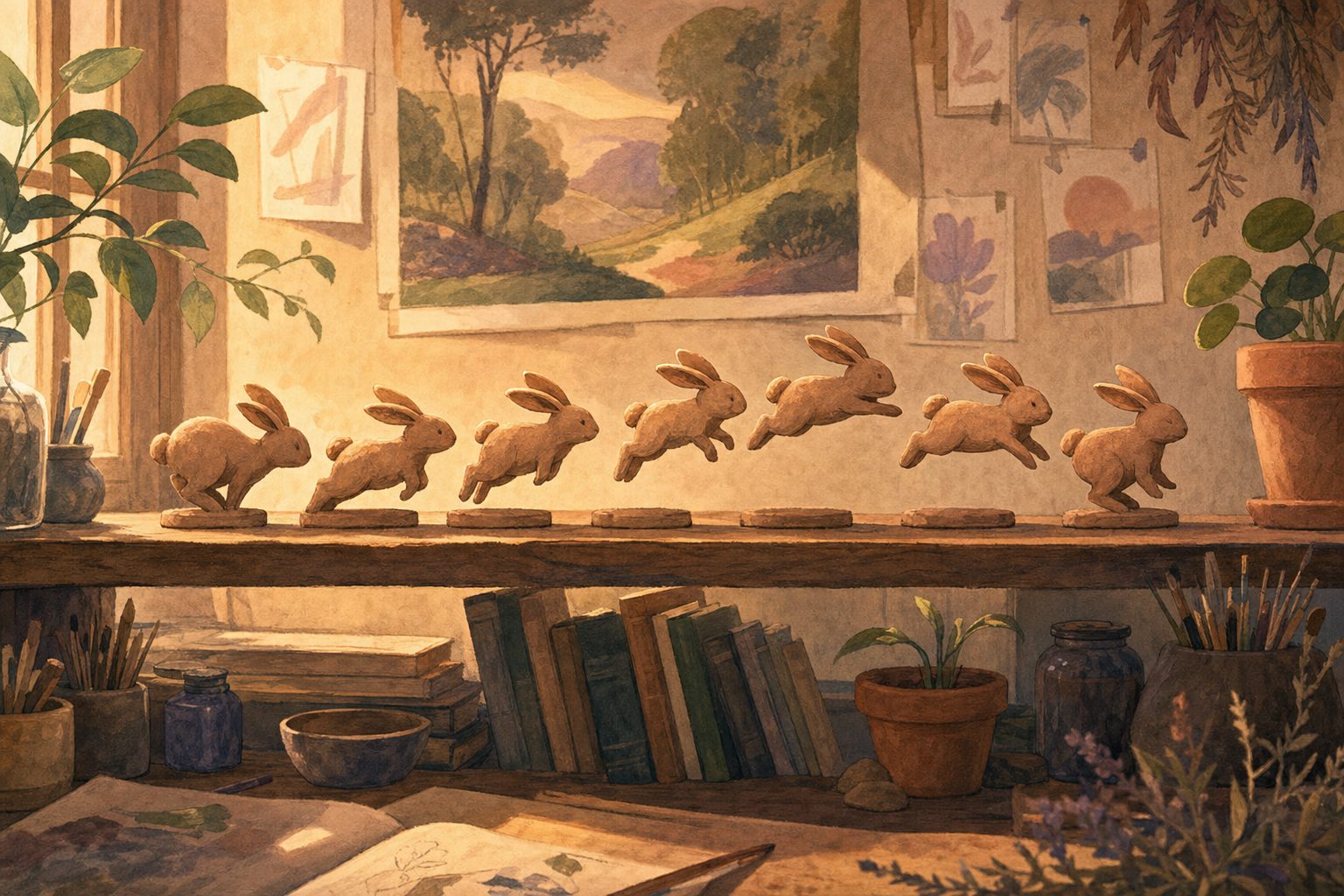
Blocking is the first rough version of a shot, built from the handful of poses that carry the idea. I set these as stepped keys. A stepped key holds a pose exactly until the next key arrives, then snaps to it, with no in-between motion at all. It looks like a flip book with pages missing, and that’s the point. With nothing smoothing the gaps, I can only judge the poses themselves.
I start with the storytelling poses: the moments a viewer would need to see if the shot were a comic strip. A character notices something, reacts, decides, acts. If I can’t name what each pose is saying, it probably shouldn’t be there. Most of my thinking at this stage happens before I touch the computer, in thumbnails and quick sketches, the same kind of planning you can see in my storyboarding gallery. Growing up working in clay and illustration taught me to trust a drawn pose before a digital one.
I also show the blocking to someone else whenever I can. A fresh pair of eyes watching ugly stepped poses will tell you fast whether the story is there. If they’re confused, I stay in blocking.
Once the story poses work, I add breakdowns. A breakdown is the pose between two key poses that decides how the character gets from one to the other. It’s where most of the personality in a movement lives. A head turn that dips down in the middle feels different from one that rises up and over, even though the start and end poses are identical.
This pass is also where I sort out timing and spacing. Timing is how many frames an action takes. Spacing is how the movement is distributed across those frames: bunched up near a pose for a slow ease, spread wide for a fast move. I stay in stepped keys for a good while here, adding breakdowns until the motion almost reads on its own. Then I switch the curves to spline, which lets the software interpolate the frames in between, and watch what it does to my timing. It usually floats in places I didn’t want it to. Fixing that float is a big part of this pass.
Before moving on, I ask whether the weight feels right. Does a heavy thing land heavy? Does the character push off the ground before a jump, or just drift upward? If the body mechanics are off now, no amount of detail will hide it later.
Polish is the pass everyone wants to skip to, and the one I protect the most carefully by doing it last. It’s where I work on the detail that makes a shot feel finished:
Polish is slow, careful work, and it’s satisfying in a way the earlier passes aren’t. That’s exactly why it’s dangerous to start early. It feels like progress even when the shot underneath it doesn’t work.
This is the part I most want students to hear. If a shot doesn’t read in blocking, polish makes it a smoother version of a shot that doesn’t read. Nice arcs on the wrong action are still the wrong action. Beautiful finger overlap on a pose that says nothing still says nothing.
Polish also makes changes expensive. Every layer of detail is built on top of the key poses, so moving one key late in the process means redoing everything stacked on it. In blocking, changing my mind costs a few minutes. In polish, it can cost days. So if I have doubts, I want them early, when they’re cheap.
My own rule of thumb: if I’m tempted to fix a story problem with polish, I go back a pass. Usually two.
Most of my 3D animation happens in Maya, and the passes map neatly onto its tools. In blocking I keep the default tangent set to stepped so every key holds. In the breakdown pass I lean on the Graph Editor, the window that shows each animated value as a curve over time, to adjust spacing and catch floaty interpolation once I switch to spline. In polish I turn on motion trails to see a hand’s path as a line in the viewport, which makes broken arcs easy to spot.
The tools change between projects, and in 2D I do the same thing in Toon Boom Harmony or Procreate Dreams with rough key drawings first and clean-up last. The order of the questions doesn’t change.
Every polished moment in my 3D demo reel started as a row of stiff, stepped poses that had to earn their way to the next pass. If you’d like to see where that process leads in longer storytelling, take a look at my films.

Emily Sarah Leeds is a writer and creative enthusiast at Emily Art, where she shares insights on art, creativity, design, and artistic expression. With a passion for exploring visual storytelling and creative techniques, Emily creates informative content that helps readers discover inspiration, develop their artistic skills, and stay connected with the evolving world of art.